


Digital Biz PLR
Etsy Shop Setup Tracker Checklist PLR MRR
Etsy Shop Setup Tracker Checklist PLR MRR
Couldn't load pickup availability
Share
🔑 Not sure what PLR or MRR means? [Read our full licence guide →]
Etsy Shop Setup Tracker - Your Step-by-Step Guide to Opening & Growing on Etsy (From "I Know Nothing" to "I Just Made My First Sale")
You want to sell on Etsy. You have no idea where to start.
This Etsy Shop Setup Tracker walks you through every single step—written in plain English for someone who has never touched Etsy before.
Eight sheets. 161 formulas. Zero errors. From creating your account to making your first sale and beyond, every task is explained like it's the first time you've heard of it.
You don't need to know how Etsy works. This tracker teaches you while you build.
Built by Digital Biz PLR after setting up hundreds of Etsy shops. Every task has been tested. Every formula calculates automatically. Every instruction assumes you're starting from zero.
Eight-sheet Google Sheets system specifically for Etsy beginners. Includes: Shop Dashboard (progress tracker across 5 phases, 5 plain-English tips explaining how Etsy works including "you don't ship anything" and exact fee breakdown), Phase 1 Account Setup (8 tasks covering creating account, payments setup, digital delivery understanding), Phase 2 Shop Branding (10 tasks for shop name, banner, logo, about section, policies with exact refund policy wording to copy-paste), Phase 3 First Listing (13 tasks from product creation through publishing, every step explained for first-timers, recommends Printable Generator and AI Description Bundle), Phase 4 SEO & Traffic (11 tasks on Etsy search, eRank keyword research, listing optimization, Pinterest/Facebook/email traffic), Phase 5 After First Sale (10 tasks on getting reviews, growing shop, building email list), Listing Planner (50-row tracker with views, favorites, sales, CVR auto-calculating), How To Use guide (complete instructions, PLR rebrand guide). 161 formulas calculate automatically. Checkbox system updates status. Full PLR and MRR rights. Instant access.
✨ What's Inside The Etsy Shop Setup Tracker
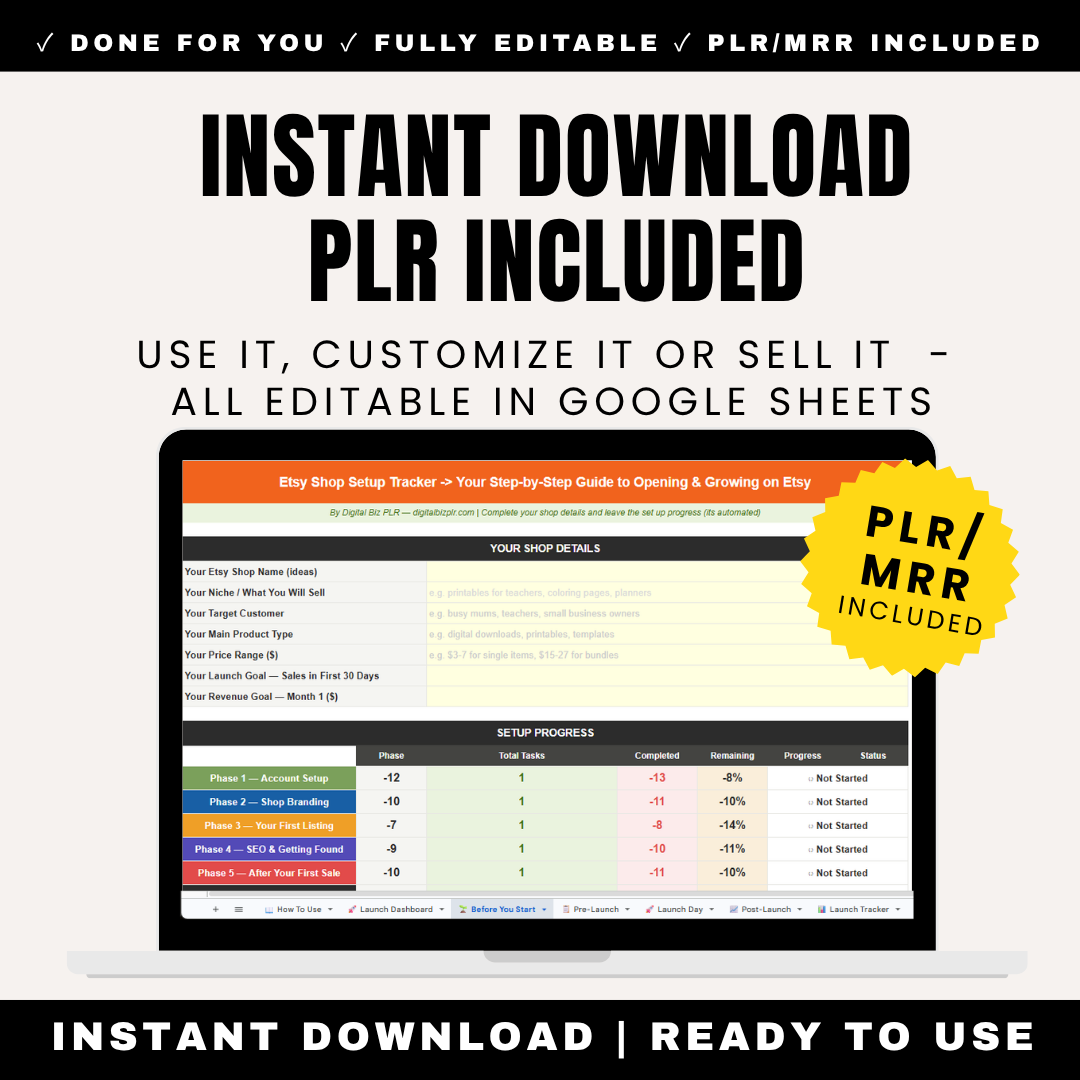
Sheet 1: Shop Dashboard (Your Progress & Etsy Basics)
Fill In Your Shop Details (Yellow Cells):
- Your Etsy Shop Name (ideas): e.g., PrintablesByAva, TeacherTreasures
- Your Niche / What You Will Sell: e.g., printables for teachers, coloring pages, planners
- Your Target Customer: e.g., busy mums, teachers, small business owners
- Your Main Product Type: e.g., digital downloads, printables, templates
- Your Price Range ($): e.g., $3-7 for single items, $15-27 for bundles
- Your Launch Goal — Sales in First 30 Days: Your sales target
- Your Revenue Goal — Month 1 ($): Your income goal
Setup Progress (Updates Automatically Across 5 Phases)
Before You Start — Read This (5 Key Etsy Facts):
Plain-English explanations of how Etsy actually works:
- Etsy is a marketplace where millions of people search for digital products every day. You list your product once and it can sell while you sleep.
- Digital products on Etsy are instant downloads. The buyer pays, Etsy delivers the file automatically. You do not ship anything.
- You need: a free Etsy account, a product to sell (PDF, PNG, template etc), a PayPal or bank account to receive payments. That's it.
- Your first listing will not be perfect. That's fine. Most Etsy sellers improve their listings after seeing real data. Start first, optimise later.
- Etsy charges $0.20 per listing (active for 4 months) and takes 6.5% of each sale. A $10 product costs you $0.85 in fees. Everything else is profit.
Why this matters: Most beginners are paralyzed by not understanding how Etsy works. These 5 facts eliminate confusion before you even start.
Sheet 2: Phase 1 — Create Your Etsy Account & Set Up Payments
8 tasks covering account creation, payment setup, and digital delivery understanding.
Type ✓ to complete. Status updates automatically to ✓ Done, ⚡ Skip, or ○ To Do.
CREATING YOUR ETSY ACCOUNT (3 Tasks)
| Step | Task | How To Do It | Why It Matters | Digital Biz PLR Tool |
|---|---|---|---|---|
| 1.1 | Go to etsy.com and click 'Sign in' | Click 'Register' at the top right. Use a professional email address that you check regularly. Your email becomes part of your Etsy identity. | Your email address is how Etsy communicates sale notifications, reviews and important updates. Use one you check daily. | Free — etsy.com |
| 1.2 | Click 'Sell on Etsy' to start your shop | After creating your account, go to etsy.com/sell and click 'Get started'. This begins the shop setup wizard which takes about 15 minutes. | You can't list products until you've completed the shop setup. Don't skip any steps — incomplete shops cannot go live. | Free — etsy.com/sell |
| 1.3 | Choose your shop language, country and currency | Set language to English even if you're not UK/US based — English gives you the largest buyer audience. Set currency to USD for maximum reach. | USD listings appear in search results for the largest number of Etsy buyers worldwide. You can change this later but USD is recommended. | Free — inside Etsy setup wizard |
SETTING UP PAYMENTS (3 Tasks)
| 1.4 | Set up Etsy Payments to receive money | Etsy Payments lets buyers pay by card, PayPal, Apple Pay etc. You need your bank account details or PayPal to receive funds. | Without Etsy Payments you cannot receive money from sales. This is mandatory in most countries. | Free — inside Etsy setup wizard |
| 1.5 | Add your bank account or PayPal details | Enter your sort code and account number (UK) or routing and account number (US). Etsy deposits funds weekly by default. | Etsy holds funds for a few days on new accounts for security. This is normal — payments release automatically after your first few sales. | Free — Etsy Payment settings |
| 1.6 | Add a credit or debit card for Etsy fees | Etsy charges listing fees ($0.20 per listing) and transaction fees (6.5%) which are billed monthly. Add a card so your shop stays active. | If Etsy can't charge your fees your listings are paused. Keep your payment method up to date. | Free — Etsy Billing settings |
DIGITAL DELIVERY SETUP (2 Tasks)
| 1.7 | Understand how digital delivery works on Etsy | When someone buys a digital product on Etsy, the file is delivered automatically via email and their Etsy account. You do NOT need to send anything manually. | This is the biggest advantage of digital products. Etsy handles delivery 24/7 automatically. You make money while you sleep. | Free — built into Etsy automatically |
| 1.8 | Prepare your product file for upload | Your digital file needs to be ready before you create your listing. Accepted formats: PDF, PNG, JPG, ZIP (for multiple files). Max file size 20MB. | Etsy rejects files over 20MB. If your product is large, put it in a ZIP file or use Google Drive and deliver the link in a PDF. | Use Google Drive for files over 20MB — create a PDF with the download link inside |
Progress updates automatically on Dashboard after each task completion.
Sheet 3: Phase 2 — Brand Your Shop Professionally
10 tasks covering shop name, visual branding, about section, and policies.
SHOP NAME (2 Tasks)
SHOP BANNER AND LOGO (2 Tasks)
ABOUT SECTION (2 Tasks)
SHOP POLICIES (4 Tasks)
Includes exact copy-paste policy templates:
Returns and Refunds Policy (Copy This Exactly):
"All sales are final on digital products as files are delivered immediately. State this clearly: 'Due to the nature of digital products, all sales are final as files are delivered immediately upon purchase.'"
Every policy template is written in plain language and Etsy-compliant. Just copy, paste, and customize with your shop name.
Sheet 4: Phase 3 — Create and Publish Your First Listing
13 tasks walking through creating your first product and publishing your first listing.
CREATING YOUR PRODUCT (3 Tasks)
| 3.1 | Create or source your digital product | Your product needs to be ready before you create the listing. Use the Printable Generator to create in 60 seconds, then use Etsy to upload. Use at least 5. Show: 1) the product cover, 2) inside pages, 3) the product in use, 4) a size/format reference, 5) PDF for planners, guides and printables. PNG or JPG for templates | You cannot create a listing without a product file. The Printable Generator lets you create Etsy-ready products in under an hour. Listings with 5+ photos rank higher in Etsy search. Your first image is your thumbnail — it's what buyers see FIRST. A corrupted or unpreviewable file = refund request and a bad review. Always test your file on a different device before uploading | Printable Generator → digitalbizplr.com — type your niche, download your product | Canva.com — search 'digital product mockup' for free | Free — export from Canva as PDF or PNG |
WRITING YOUR LISTING (4 Tasks)
| 3.4 | Write your listing title | Etsy titles can be 140 characters. Use your main keyword first. Include: who it's for and what format. Example: Teacher Planner Printable | Weekly Lesson Plan Template | Printables for Teachers | Etsy's algorithm uses your title to decide when to show your listing. Put your most important keyword first before anything else. Buyers know exactly what they're buying. A clear description prevents support requests. It also helps Etsy categorization which improves your ranking | AI Printable Description Bundle → digitalbizplr.com — generates your full title automatically |
LISTING SETTINGS (6 Tasks)
All 13 tasks follow same format: detailed how-to, why it matters, recommended tool.
Sheet 5: Phase 4 — Get Found in Etsy Search & Drive Traffic
11 tasks on Etsy SEO, keyword research, listing optimization, and external traffic.
ETSY SEO BASICS FOR BEGINNERS (4 Tasks)
| 4.1 | Understand how Etsy search works | Etsy search works based on relevance (do your tags and title match what was searched?) and quality (buyers click rate, favorites and how often keywords are searched). New shops get a temporary eRank.com or free plan shows what Etsy shoppers actually search for. The first 90 days are your best chance to get organic visibility. Etsy temporarily boosts new listings to test whether buyers like them. The wrong keyword means your listing never appears in search no matter how good it looks. Understanding what works for top sellers tells you exactly what to do. Don't reinvent the wheel | The first 90 days are your best chance to get organic visibility. Etsy temporarily boosts new listings to test whether buyers like them. The right title keyword is 3x more important than tags for ranking | Beginners almost never rank for broad keywords like 'planner' or 'printable'. Long-tail keywords bring you less traffic but much higher conversion. Weak tags rank nowhere. All much higher conversion | Free — read Etsy's Seller Handbook | eRank.com — free plan available | Niche Validator → digitalbizplr.com | Free — search your keyword on etsy.com | eRank.com keyword tool — free | AI Printable Description Bundle → digitalbizplr.com — regenerate your title with better keywords |
OPTIMISING YOUR EXISTING LISTING (3 Tasks)
DRIVING TRAFFIC FROM OUTSIDE ETSY (4 Tasks)
Sheet 6: Phase 5 — After Your First Sale — Grow Your Shop
10 tasks on what to do after making your first sale.
YOUR FIRST SALE — WHAT HAPPENS (2 Tasks)
| 5.1 | Understand what happens when you make a sale | When a buyer purchases your product: Etsy charges their card → sends them the file automatically → adds funds to your payment account → sends you an email notification. Go to etsy.com/your/shops/me/shop-to-buyer management to view customer buyer trust at 3x the rate of a shop with zero reviews | Many new sellers panic when they get their first sale. You don't need to send anything — Etsy handles it all. Just check regularly. Checking Shop Manager regularly keeps you aware of any issues early. Most digital products have zero problems | Free — Etsy sends you a sale notification email automatically | Free — etsy.com/your/shops/me |
GETTING YOUR FIRST REVIEW (2 Tasks)
AFTER YOUR FIRST SALE — GROWTH (6 Tasks)
Includes specific growth strategies:
- Analyse your listing stats (views vs favorites vs sales)
- Add at least 5 more listings within 30 days
- Create a bundle of your best products
- Set up Etsy Ads with a $1/day budget
- Build your email list using a freebie
- Research your next 5 product ideas
Sheet 7: Listing Planner — Track All Your Etsy Listings
50-row tracker for monitoring all your Etsy products.
Columns:
- #: Product number (1-50)
- Product Name: Your listing title
- Main Keyword: Primary search term
- Price ($): Selling price
- Date Listed: When you published
- Views (30d): How many people viewed listing in last 30 days
- Favourites: How many people favorited
- Sales (30d): Number of sales in last 30 days
- CVR %: Calculates automatically (Sales ÷ Views × 100)
Why this matters:
- Low views = title/keyword problem (not showing in search)
- High views, low favorites = main image problem (not compelling)
- High favorites, low sales = price or description problem
- CVR under 1% = something needs fixing
- CVR over 3% = winning listing, make more like it
Use this data to optimize your shop. Etsy Shop Manager → Stats shows these numbers. Copy them into this tracker weekly to see trends over time.
Sheet 8: How To Use This Tracker
Complete Instructions Including:
- What's included in this tracker - Overview of all 8 sheets
- How to use the checklists - Type ✓ when complete, progress updates automatically
- The Digital Biz PLR Tool column - Links to recommended products
- Your first listing — what to prioritise - Focus areas for complete beginners
- PLR and MRR rights explanation - What you can and cannot do
- Customizing and reselling this tracker - How to rebrand for your buyers (exact cells to update)
- Questions? We're here to help - Contact details
🎯 Who This Tracker Is For
Perfect For:
- ✓ Complete Etsy Beginners - Never sold anything on Etsy before
- ✓ Digital Product Sellers - Selling printables, planners, templates, downloads
- ✓ Nervous First-Timers - Scared of making mistakes, need hand-holding
- ✓ Overwhelmed Learners - Watched 10 YouTube tutorials and still confused
- ✓ Stay-at-Home Parents - Want to earn income without leaving home
- ✓ Teachers and Educators - Creating printables for other teachers
- ✓ Side Hustlers - Building passive income alongside full-time job
- ✓ Retirees and Empty Nesters - Looking for flexible income stream
- ✓ Creative Entrepreneurs - Artists, designers, creators wanting to monetize
- ✓ Failed Etsy Sellers - Tried before, got confused, want structured system
🔥 Why This Tracker vs. YouTube Tutorials
Learning From YouTube:
- ❌ Watch 10 different videos with conflicting advice
- ❌ Take notes, lose notes, can't remember which video said what
- ❌ No structured order (watch SEO video before understanding listings)
- ❌ No progress tracking (did I do this step already?)
- ❌ Generic advice not tailored to digital products
- ❌ Outdated information (Etsy changes regularly)
- ❌ No accountability (easy to give up)
- ❌ Analysis paralysis (watch 100 videos, never start)
With This Etsy Shop Setup Tracker:
- ✅ 52 tasks in exact order - Do this, then this, then this
- ✅ Written for complete beginners - Assumes zero Etsy knowledge
- ✅ Digital product specific - Every task tailored for digital sellers
- ✅ Automated progress tracking - See exactly how far you've come
- ✅ Plain-English explanations - No jargon, no assumptions
- ✅ Copy-paste templates included - Refund policies, about section examples
- ✅ 161 formulas calculate automatically - Progress, CVR, status all update
- ✅ Listing performance tracker - Monitor all products in one place
- ✅ Recommended tools linked - Direct links to Printable Generator, AI Description Bundle
- ✅ One-time setup - Use forever, for every new product
📊 Why Etsy for Digital Products
Etsy Advantages:
- 📈 30+ million active buyers searching Etsy every month
- 🔍 Built-in search traffic - Buyers find you without ads
- 💰 Digital delivery automatic - Sell 24/7 without touching anything
- 🚀 Low startup cost - $0.20 per listing, 6.5% per sale, that's it
- ⚡ Fast setup - Can be selling within hours
- 🌍 Global marketplace - Reach buyers worldwide
- 💳 Etsy handles payments - No need for separate payment processor
- 🎯 Niche-friendly - Specific products perform better than generic
Perfect for Digital Products Because:
- ✅ No inventory management
- ✅ No shipping logistics
- ✅ No printing costs
- ✅ Infinite scalability (sell 1 or 1,000 with same effort)
- ✅ Instant delivery (happy buyers immediately)
- ✅ High profit margins (80-95% profit per sale)
- ✅ Passive income (create once, sell forever)
💰 Includes Full PLR and MRR Rights
What You Can Do with PLR & MRR:
- ✅ Use for your own Etsy shop setup - Personal use forever
- ✅ Rebrand with your own name and logo - Make it yours
- ✅ Sell as your own product - Keep 100% of profits
- ✅ Include in coaching programs - Add value to your offers
- ✅ Give to clients as a bonus - If you're a business coach
- ✅ Bundle with other products - Create comprehensive packages
- ✅ Offer MRR rights to your buyers - They can resell it too
How to Rebrand and Resell:
- Open in Google Sheets: File → Make a copy
- Update "Digital Biz PLR": Find and replace with your brand name
- Update tool links: Column with Digital Biz PLR tool links — replace with your products or remove
- Update footer: Every sheet has "Built by Digital Biz PLR" — replace with your branding
- Update "How To Use" sheet: Replace contact details with yours
- Share with buyers: Provide as Google Sheets or convert to Excel
The "How To Use" sheet includes a complete rebrand guide telling you exactly which cells to update.
📦 What You Get Immediately
Instant Access Includes:
- ✅ Complete 8-Sheet Google Sheets System - 52 tasks, 161 formulas
- ✅ Shop Dashboard - Progress tracker + 5 Etsy basics in plain English
- ✅ Phase 1: Account Setup (8 Tasks) - Creating account, payments, digital delivery
- ✅ Phase 2: Shop Branding (10 Tasks) - Name, banner, logo, about section, policies
- ✅ Phase 3: First Listing (13 Tasks) - Product creation through publishing
- ✅ Phase 4: SEO & Traffic (11 Tasks) - Etsy search, keywords, external traffic
- ✅ Phase 5: After First Sale (10 Tasks) - Reviews, growth, email list building
- ✅ Listing Planner (50-Row Tracker) - Views, favorites, sales, CVR auto-calculating
- ✅ Copy-Paste Policy Templates - Refund policy, shop policies, exact wording
- ✅ Digital Biz PLR Tool Recommendations - Links to Printable Generator, AI Description Bundle
- ✅ Full PLR and MRR Rights - Use, rebrand, resell, pass rights to buyers
- ✅ Lifetime Access - One-time fee, use forever
❓ Frequently Asked Questions
Do I need any experience to use this?
No! This tracker is specifically written for complete beginners who have never touched Etsy before. Every task assumes you're starting from zero.
Is this only for digital products?
Yes. Every task is tailored for digital product sellers (printables, templates, planners, downloads). Physical product sellers would need different guidance.
Do I need technical skills or Google Sheets knowledge?
No. Just type ✓ in checkbox cells. Everything else calculates automatically. The "How To Use" sheet has complete instructions.
Can I use this for multiple Etsy shops?
Yes! Make a copy for each shop. Track setup progress separately for each one.
What are the Digital Biz PLR Tool recommendations?
Throughout the tracker, we link to Digital Biz PLR products that make specific tasks faster:
- Printable Generator - Creates print-ready products in 60 seconds
- AI Printable Description Bundle - Generates title, description, and 13 Etsy tags automatically
- Niche Validator - Confirms your product idea has demand before creating
These are optional. You can use any tools you prefer.
Does this work for countries outside the US?
Yes! Etsy is global. The tracker works for any country. We recommend USD currency and English language for maximum reach, but you can sell from anywhere.
How long does it take to complete all 52 tasks?
- Phase 1 (Account Setup): 30-60 minutes
- Phase 2 (Shop Branding): 2-4 hours
- Phase 3 (First Listing): 2-3 hours (including product creation)
- Phase 4 (SEO & Traffic): 3-5 hours (spread over first week)
- Phase 5 (After First Sale): Ongoing
- Total to first listing: 1-2 days of focused work
Can I skip tasks?
Yes! Type ⚡ to skip. Some tasks are optional (like Etsy Ads). The progress percentage adjusts automatically.
What if I already have an Etsy account?
Perfect! Skip Phase 1 (Account Setup) and start with Phase 2 (Shop Branding) or Phase 3 (First Listing). The tracker adapts to your starting point.
Can I sell this tracker to my coaching clients?
Yes! Full PLR and MRR rights. Rebrand it, include in your Etsy coaching program, or sell as a standalone product. Keep 100% of profits.
Can my buyers also resell it?
Yes! MRR (Master Resell Rights) means your buyers can also resell the tracker. This increases the value of your offer.
Is this a one-time fee or subscription?
One-time fee. Pay once, use forever. No monthly charges.
What if I get stuck on a task?
The "How To Do It" column explains every task step-by-step. The "Why It Matters" column explains the reasoning. The "Digital Biz PLR Tool" column links to resources that help. If you're still stuck, contact us at digitalbizplr.com/pages/contact.
🏪 Stop Feeling Overwhelmed - Follow a System Built for Complete Beginners
Etsy Shop Setup Tracker. Eight Google Sheets. 161 formulas. Built for beginners who know nothing about Etsy. Includes: Shop Dashboard (progress tracker across 5 phases, 5 plain-English tips explaining how Etsy works including "you don't ship anything" and exact fee breakdown with shop details entry fields), Phase 1 Account Setup (8 tasks covering creating account at etsy.com, setting up Etsy Payments, adding bank/PayPal details, adding payment card for fees, understanding digital delivery, preparing product file), Phase 2 Shop Branding (10 tasks for choosing shop name with availability check, creating 500x500px shop icon, creating 3360x840px shop banner, writing shop announcement in compelling 160 characters, writing About section with trust-building personal story, adding owner photo for authenticity, writing returns and refunds policy with exact copy-paste template, writing shipping policy for digital products, writing payment policy, adding shop rules if needed), Phase 3 First Listing (13 tasks from creating/sourcing digital product using Printable Generator, creating 10 listing photos/mockups with 2000x2000px minimum, saving product as PDF or PNG, writing listing title with main keyword first 140 characters, writing listing description with AI Printable Description Bundle, adding all 13 Etsy tags, choosing correct category, setting price using pricing calculator, setting quantity to 999 for unlimited digital, uploading digital file PDF/PNG/JPG/ZIP max 20MB, previewing listing, publishing listing, sharing on social media), Phase 4 SEO & Traffic (11 tasks on understanding Etsy search algorithm, researching primary keyword on eRank free plan, checking top 10 listings for keyword learning from competitors, finding 5 long-tail keywords with eRank keyword tool, updating title with researched keywords, rewriting all 13 tags using keyword research, adding keywords naturally to description without stuffing, creating 5 Pinterest pins for listing with PinPerfect, sharing listing on Facebook groups for niche, sharing listing on Instagram with bio link, sending email to list announcing new listing), Phase 5 After First Sale (10 tasks on understanding sale notification process, checking Shop Manager after first sale for buyer info, messaging buyer after purchase thanking them, asking for review politely 3-5 days post-purchase, analyzing listing stats views/favorites/sales ratio, adding at least 5 more listings within 30 days for shop credibility, creating bundle of best products for higher AOV, setting up Etsy Ads $1/day budget to test, building email list using freebie with Lead Magnet Generator, researching next 5 product ideas with Niche Validator and eRank), Listing Planner (50-row tracker with columns for product name, main keyword, price, date listed, views 30d, favorites, sales 30d, CVR auto-calculating as sales divided by views times 100 to identify optimization opportunities), How To Use guide (complete instructions, recommended tools throughout, PLR rebrand guide with exact cells to update including shop details, tool link column, footer on every sheet, contact details). Checkbox system auto-updates status to Done/Skip/To Do. Progress percentages calculate automatically. Copy-paste templates for policies. Links to Printable Generator and AI Description Bundle throughout. Works on any device via Google Sheets. Full PLR and MRR Rights (use, rebrand, resell, pass rights to buyers). One-time fee. Instant access.
Perfect for: Complete Etsy beginners, digital product sellers, nervous first-timers, overwhelmed learners, stay-at-home parents, teachers, side hustlers, retirees, creative entrepreneurs, failed Etsy sellers wanting structured system
Open your Etsy shop with confidence. Get the complete beginner system now.
Questions? Contact us here
What You Will Receive
What You Will Receive
1 x PDF with instructions - Includes a link to your digital download.
You will receive it straight away! This is a DIGITAL PRODUCT which means no physical item will be shipped to you.
What does PLR, MRR, Commercial Output mean?
What does PLR, MRR, Commercial Output mean?
PLR (Private Label Rights) means you can edit, rebrand and resell this product as your own.
MRR (Master Resell Rights) means you can sell the product and also pass resell rights to your buyers.
Personal Use means you can use it for yourself but not resell it.
Commercial Output Rights means you can sell anything you create using this product.
Every product listing states which rights are included.
Resell Licence
Resell Licence
Each product has a resell licence attached to it. Please check the individual listing to see if they come with a Personal Use or an MRR & PLR licence. If they come with a MRR & PLR licence then you can rebrand and resell the content. If not, you cannot.
Returns Policy
Returns Policy
Due to the nature of this product being an instant download and the digital nature of this product, returns, refunds and exchanges cannot be accepted.
Make sure to read all the information and ask all of your questions before purchasing.


I think it's going to be great,but I seriously need to dive in right now! I can't wait! You made a good tracker list, that's for sure! Thank you!
Did You Know Entrepreneurs Using PLR Products See 40% Higher Profit Margins
-
1. Work Smart, NOT HARD!
Our PLR products come pre-made and ready to customize, allowing you to skip the content creation process. Simply rebrand them with your colors, images etc, tweak as needed, and put them to work for your business.
-
2. If Your Marketing Costs Are High!
Our PLR products include MRR, you can resell these assets to generate additional income, covering your marketing costs and boosting profits.
-
3. Struggling to Stay Consistent?
Our PLR products are easy to use, providing you with a consistent stream of content for marketing, customer engagement, and lead nurturing, so you never run out of ideas.
Save Over 500 Hours Per Year Using Our PLR Products
Frequently Asked Questions
What is the difference between PLR & MRR products?
- Private Label Rights Products: Refers to the digital products that you can customize and sell as your own - WITHOUT the ability to pass on resell rights to your customers.
- Master Resell Rights Products: Refers to the digital products that you can customize and sell as your own - WITH the ability to pass on resell rights to your customers.
What can you do with Digital Biz PLR products?
Here are some ways you can use our digital products:
- Edit, tweak and customise in Canva, export as PDF and start selling as your own with no attribution required
- Use the product to create a new digital product, lead magnet or add to your course or membership
- Sell to your clients as a final product without having to create it from scratch
- Use for Print on Demand products such as journals, planners and ebooks
Are there any hidden or on-going fees?
No, it is just a one-time investment and you can get started!
What do PLR, MRR and Commercial Output mean?
PLR (Private Label Rights) means you can edit, rebrand and resell this product as your own.
MRR (Master Resell Rights) means you can sell the product and also pass resell rights to your buyers.
Personal Use means you can use it for yourself but not resell it.
Commercial Output Rights means you can sell anything you create using this product. Every product listing states which rights are included.
I'm ready to make money now. How do I start?
Simply Click the "Add To Cart" button on top and make your one-time purchase to get instant access to the product.