


Digital Biz PLR
Gumroad Store Setup Tracker Guide Checklist PLR
Gumroad Store Setup Tracker Guide Checklist PLR
Couldn't load pickup availability
Share
🔑 Not sure what PLR or MRR means? [Read our full licence guide →]
Gumroad Store Setup Tracker - Your Complete System for Launching & Growing a Profitable Gumroad Store
You want to sell digital products on Gumroad. You're either starting from scratch or your existing store isn't making the sales you expected.
This Gumroad Store Setup Tracker handles both. It walks complete beginners through setup from zero to first sale, and guides existing store owners through conversion optimization and common Gumroad-specific problems.
Eight sheets. Automated progress tracking. Real seller problems with exact solutions. From account creation to consistent $1,000+ months, every step mapped out.
Two paths in one system: Launch Mode for new stores, Optimize Mode for existing stores that need fixing.
Built by Digital Biz PLR after analyzing hundreds of Gumroad stores. Every task tested. Every formula automated. Every problem solution validated by actual sellers who've fixed these exact issues.
Eight-sheet Google Sheets system for Gumroad sellers. Includes: Dashboard (progress overview across all phases, store details entry, Gumroad key facts including 10% fee structure, Discover algorithm explanation, payout schedule, best use cases, platform limitations), Before You Start (beginner vs optimizer path selector, product type guide for 8 categories, pricing calculator based on competition and audience), Store Setup (account creation, payment processing with Stripe/PayPal, identity verification, payout settings, EU VAT configuration, digital delivery setup, custom domain connection, email list building setup), Products & Listings (product creation, description writing for Gumroad's format, cover image specs, pricing strategy, pay-what-you-want setup, membership tiers, pre-orders, product bundles), Optimize & Convert (for existing stores: conversion rate analysis, Discover algorithm optimization, bundle creation, upsell strategy, review collection, analytics interpretation, A/B testing), Traffic & Marketing (platform-specific strategies for Discover tab visibility, Instagram, TikTok, Pinterest, email list building, Twitter/X community, paid ads), Problems & Solutions (8 real Gumroad-specific problems with exact fixes: 10% fee confusion and pricing strategy, Discover algorithm not showing your products, payout delays and holds, EU VAT calculation errors, PayPal payment declines, broken download links, refund request handling, Gumroad email deliverability issues), 30-Day Revenue Tracker (daily sales log, AOV auto-calculates, monthly totals, traffic source tracking, Discover vs external traffic comparison). Automated progress bars. Checkbox system. Gumroad-specific guidance. Full PLR and MRR Rights. One-time fee. Instant access.
✨ What's Inside The Gumroad Store Setup Tracker
Sheet 1: Dashboard (Your Gumroad Command Center)
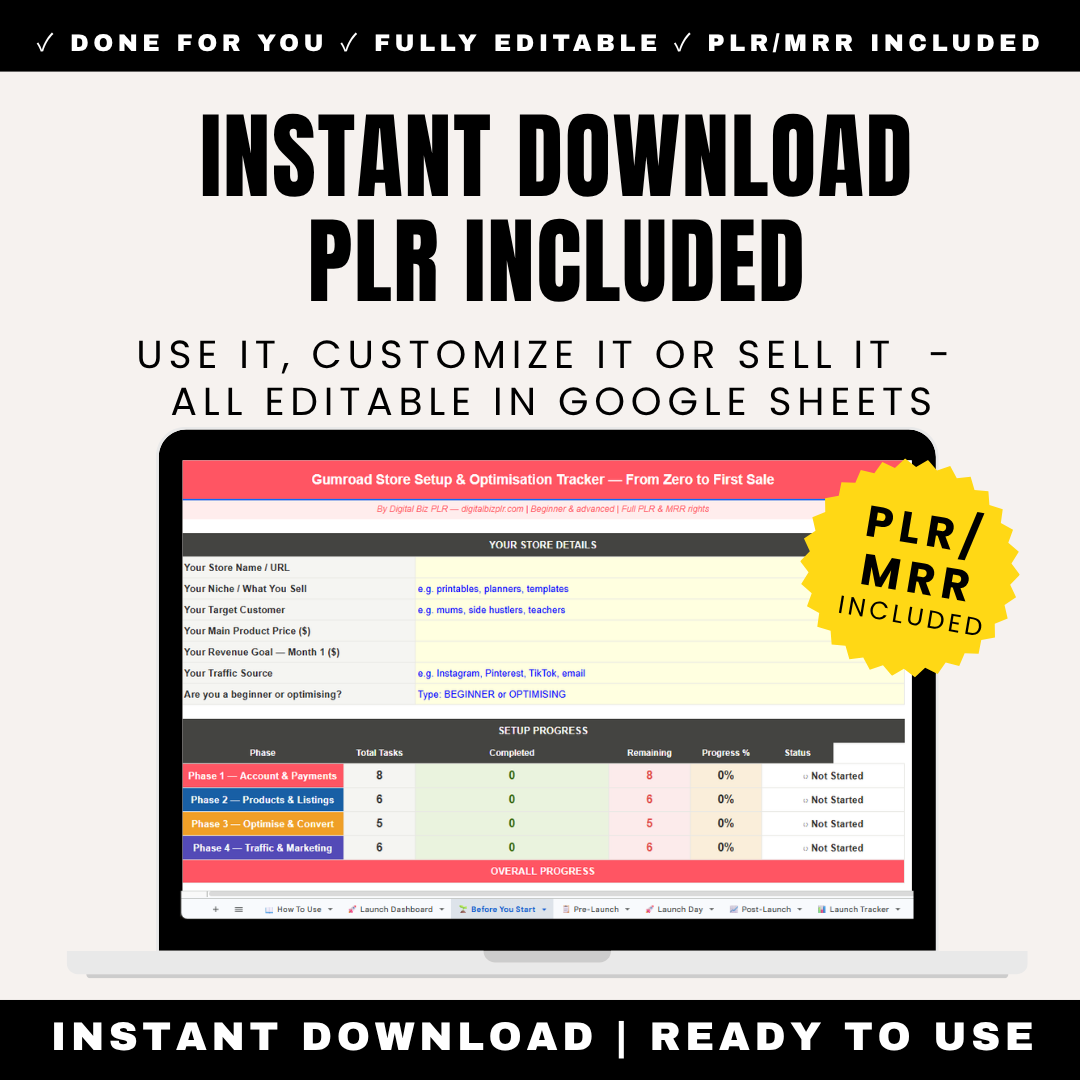
Your Store Details (Fill In Yellow Cells):
- Your Gumroad Store URL: yourname.gumroad.com
- Your Niche: e.g., ebooks, online courses, templates, design assets, music, comics
- Your Primary Product Type: e.g., digital downloads, memberships, coaching, software
- Your Main Traffic Source: e.g., Twitter/X, Instagram, email list, Gumroad Discover, Pinterest
- Current Monthly Revenue ($): Starting point or current earnings
- Revenue Goal Month 1 ($): Your target
- Average Product Price ($): Your typical price point
Setup Progress (Updates Automatically):
| Phase | Total Tasks | Completed | Remaining | Progress % | Status |
|---|---|---|---|---|---|
| Store Setup | 13 | 0 | 13 | 0% | Not Started |
| Products & Listings | 14 | 0 | 14 | 0% | Not Started |
| Optimize & Convert | 11 | 0 | 11 | 0% | Not Started |
| Traffic & Marketing | 13 | 0 | 13 | 0% | Not Started |
Gumroad Key Facts (Know Before You Start):
5 critical things about Gumroad that every seller needs to know:
- Gumroad charges a flat 10% fee on every sale. Period. Unlike Stan Store (which has paid plans) or Shopify (which has monthly fees), Gumroad's pricing is simple: they take 10% of every transaction. No way to reduce it. Factor this into your pricing from day one.
- Gumroad HAS a built-in marketplace (Discover tab). Unlike Stan Store where you bring 100% of traffic, Gumroad's Discover algorithm can send you buyers automatically. BUT only if you optimize for it. Products with good metadata, reviews, and engagement get featured. Ignored products get zero Discover traffic.
- Payout delays are common for new sellers. First payout is held for 7-14 days. If you're flagged for review (high-risk product, sudden sales spike, new account), payouts can be delayed 30-60 days. This is Gumroad protecting against fraud. Plan accordingly—don't expect instant access to funds.
- EU VAT is automatically calculated and collected. If you sell to European buyers, Gumroad handles VAT tax collection. You see the net amount after VAT deduction. This is legally required, not a Gumroad fee. US sellers sometimes panic seeing "Why did my €20 product only pay me €16?" — that's VAT.
- Best for: Indie creators, solopreneurs, ebook authors, course creators, designers, musicians, comic artists. Gumroad's vibe is "independent creator" not "polished influencer brand." If your aesthetic is raw, authentic, creator-first, Gumroad fits. If you want sleek, branded storefront, consider Shopify or Stan Store instead.
Why this matters: Gumroad sits between "marketplace with built-in traffic" (Etsy) and "bring your own traffic" (Stan Store). You CAN get Discover traffic, but you CAN'T rely on it. Success requires both optimizing for Discover AND driving external traffic.
Sheet 2: Before You Start (Choose Your Path & Set Your Foundation)
STEP 1 — Which Path Are You On?
Select Your Starting Point:
PATH A: BEGINNER (I'm launching a new Gumroad store)
- You've never sold on Gumroad before
- You need to set everything up from scratch
- You want to launch and make your first sale
- → Follow: Store Setup → Products & Listings → Traffic & Marketing
PATH B: OPTIMIZER (I have a Gumroad store but it's not working)
- Your store is already live with products listed
- You're not showing up in Gumroad Discover
- You're getting some traffic but conversion is low
- OR you're getting Discover traffic but external traffic is zero
- → Skip to: Optimize & Convert → Problems & Solutions
The tracker adapts to both paths. Beginners work through setup linearly. Optimizers jump straight to fixing what's broken.
STEP 2 — What Type of Products Will You Sell?
Select your main product category (1-8):
- Ebooks & Guides - Written content, how-to guides, fiction (Gumroad pricing: $3-27 typical | Discover visibility: High if niche-specific)
- Online Courses - Video lessons, bundled content (Gumroad pricing: $29-297 | Discover visibility: Medium, competition is high)
- Templates & Tools - Notion templates, spreadsheets, Figma files (Gumroad pricing: $5-47 | Discover visibility: High, very popular on Gumroad)
- Design Assets - Fonts, icons, graphics, UI kits (Gumroad pricing: $9-99 | Discover visibility: High if well-tagged)
- Music & Audio - Beats, sample packs, sound effects (Gumroad pricing: $5-199 | Discover visibility: Medium, niche audience)
- Comics & Art - Digital comics, art packs, illustrations (Gumroad pricing: $3-15 per issue | Discover visibility: High, strong Gumroad community)
- Memberships - Recurring monthly access (Gumroad pricing: $5-49/month | Discover visibility: Low, memberships don't appear in Discover)
- Software & Plugins - Code, apps, browser extensions (Gumroad pricing: $9-199 one-time or $5-29/month | Discover visibility: Low unless actively promoted)
Personalized guidance appears automatically based on your selection with Gumroad-specific recommendations.
STEP 3 — Pricing Calculator
Input your details:
- Your product type (from list above)
- Hours spent creating the product
- Competitor price range on Gumroad (search similar products)
- Your audience size (0-1K, 1K-5K, 5K-20K, 20K+, or "No audience - relying on Discover")
Recommended price range calculates automatically accounting for 10% Gumroad fee:
Example: "Ebook + 20 hours work + Competitors charging $7-17 + No audience (Discover traffic) = Recommended price: $12. After Gumroad's 10% fee, you net $10.80 per sale. At this price point, you need 93 sales to earn $1,000. With strong Discover presence, expect 30-50 sales in first 30 days if product and metadata are optimized."
Sheet 3: Store Setup (Technical Foundation - 13 Tasks)
For Beginners (Path A) - Complete all 13 tasks.
ACCOUNT CREATION (3 Tasks)
| Task | How To Do It | Why It Matters |
|---|---|---|
| Create your Gumroad account | Go to gumroad.com → "Start Selling" → Sign up with email. Your Gumroad URL will be yourname.gumroad.com. Choose carefully — it becomes your brand. You can customize later with a domain, but the default URL should still be professional. | Your Gumroad URL appears in Discover listings, email receipts, and all promotional links. "awesomeproducts123" looks better than "johnsmith47282". Make it memorable and brand-aligned. |
| Complete your seller profile | Add profile photo (300x300px minimum), write bio (160 characters), add social media links. This profile shows on your store page and in Discover. Real photo + authentic bio = higher trust = more sales. | Gumroad buyers value authenticity. A blank profile or stock image signals "not a real creator" and tanks conversion. Show your face or brand logo. Write like a human, not a corporation. |
| Connect your payment methods | Gumroad uses Stripe as default payment processor. You need: Bank account details (for payouts) OR PayPal account. Stripe accepts: Credit cards, Apple Pay, Google Pay. PayPal option attracts buyers who don't trust entering card details. | Without payment setup, you can create products but cannot receive money. Stripe takes 2-3 days to verify your bank details. Set this up BEFORE launching to avoid payout delays. |
PAYMENT & PAYOUT SETTINGS (4 Tasks)
| Understand Gumroad's payout schedule | Gumroad pays weekly by default (every Friday) or monthly (1st of month). First payout: 7-14 day hold for new accounts. High-risk flags (sudden sales spike, controversial product): 30-60 day hold. Balance transfers to your bank account via Stripe. | NEW SELLERS: Don't panic if your first payment doesn't arrive immediately. The 7-14 day hold is standard fraud protection. After 3-5 successful payouts, you're trusted and payments are faster. |
| Configure EU VAT settings | If selling to EU buyers: Gumroad automatically collects and remits VAT (value-added tax). You see NET amount after VAT deduction in your dashboard. Example: €20 sale → EU buyer → Gumroad collects €3.33 VAT → You receive €16.67. This is LEGALLY REQUIRED, not a Gumroad fee. | CRITICAL: Many new sellers panic thinking Gumroad is "stealing money." VAT is government tax, not Gumroad's commission. Gumroad is legally required to collect it for EU sales. Price your products accounting for this. |
| Set up refund policy | Gumroad default: Buyers can request refunds via email. You choose: Auto-approve all refunds (good for trust) OR Manual review each request (protect against abuse). Recommendation for digital products: Auto-approve refunds but limit to 30 days after purchase. | Transparent refund policy builds buyer confidence. "No refunds ever" tanks conversion on Gumroad. The community expects fair refund policies. Abuse is rare (under 3% of sales typically). |
| Add tax information (US sellers) | If you're US-based: Add your Tax ID (EIN or SSN) in Settings → Payouts. Gumroad will issue you a 1099-K if you earn $600+ in a calendar year. This is IRS reporting — required by law. | Failure to add tax info can pause payouts. The IRS requires Gumroad to report your income. Set this up early to avoid payout holds later. |
STORE CUSTOMIZATION (3 Tasks)
EMAIL LIST SETUP (3 Tasks)
All 13 tasks follow same format: exact instructions, Gumroad-specific reasoning, common pitfalls to avoid.
Sheet 4: Products & Listings (Creating Your Catalog - 14 Tasks)
For Beginners (Path A) - Create your first 3-5 products.
PRODUCT CREATION (4 Tasks)
| Create your first product | Click "Products" → "New Product" → Choose type: Single product (one-time purchase), Membership (recurring), Pre-order (coming soon). Upload your file (PDF, ZIP, video, audio — max 5GB per file). Write product name (max 50 characters). Set price or enable "Pay What You Want". | Product name shows in Discover listings, search results, and buyer receipts. Front-load the benefit: "Instagram Growth Playbook" beats "My Course About Instagram". First 50 characters = your headline. Make every word count. |
| Write your product description | Gumroad descriptions support Markdown formatting. Structure: Hook (problem you solve), Features (what's included), Benefits (transformation buyer gets), Who it's for, Social proof (testimonials if you have them), Call-to-action. Gumroad shows first 3 lines before "Read more" — hook MUST be in first 3 lines. | Gumroad buyers scroll fast. If your first 3 lines don't grab them, they're gone. Leading with features ("32-page PDF") loses to leading with benefits ("Learn to 10x your Instagram reach in 30 days"). Sell the outcome, not the format. |
| Upload product cover image | Recommended: 1600x1200px (4:3 ratio) or 1200x1600px (3:4 ratio for vertical products like books). File types: JPG, PNG, GIF. Max 5MB. Cover shows in Discover feed, product page, and share previews. Make it eye-catching — this is your "stop-the-scroll" moment. | Products with professional covers get 5-7x more clicks in Discover than amateur or text-only covers. Use Canva free templates. Show: Your product mockup + benefit text + visual appeal. Ugly cover = ignored product no matter how good it is. |
| Add product preview/samples | Gumroad allows free content previews. For ebooks: Upload first chapter free. For courses: Offer first lesson. For templates: Show mockups/screenshots. Buyers can access preview WITHOUT purchasing. This builds trust and reduces refund requests. | Previews convert 2-3x better than products without previews. Buyers want to "try before they buy." Comics do especially well with "first 5 pages free". No preview = buyer skepticism = lower sales. |
GUMROAD-SPECIFIC FEATURES (5 Tasks)
| Enable "Pay What You Want" pricing | Optional feature: Let buyers choose their price above your minimum. Set minimum (e.g., $5) and suggested (e.g., $12). Buyers can pay more. Good for: Building goodwill, attracting price-sensitive buyers, generating social proof (more sales = better Discover ranking). | PWYW can increase total buyers by 40-60% BUT decreases average price paid. Use strategically: Launch phase for social proof, or for products targeting students/tight budgets. Not recommended for high-value courses or professional tools. |
| Set up product tiers/variants | Offer multiple versions at different price points. Example: Basic ($9), Standard ($19), Premium ($39). Each tier includes more content. Buyers choose their level. This increases average order value — many buyers pick middle tier. | Tiered pricing gives buyers control while increasing your revenue. Anchoring effect: Expensive tier makes middle tier feel like "good deal". Even if few buy top tier, its presence boosts middle tier sales by 20-30%. |
| Enable Gumroad Discover listing | Go to product settings → "Publish to Discover" → ON. Fill out: Category (choose the MOST specific), Tags (add 5-10 relevant tags), Short description (140 characters for Discover preview). Your product now appears in Discover browse and search. | Products NOT published to Discover get ZERO internal traffic. Even with perfect product, if Discover is off, only YOUR promotional efforts drive sales. Turn this on unless you have a reason to keep product private. |
| Add product to collections | Gumroad lets you group products into collections (like "All Ebooks" or "Design Bundle"). Create 2-3 collections for product organization. Helps buyers browse your catalog. Shows on your store homepage. | Organized stores convert better. Random product dump overwhelms buyers. Collections create "shopping paths" — buyer interested in one ebook sees "More Ebooks" collection and buys multiple products. |
| Set up upsells | After checkout, offer a related product at discount. Example: Buyer purchased "Instagram Growth Guide" → Upsell "Instagram Reel Templates" at 30% off. One-click add, no re-entering payment info. Increases revenue per customer by 15-25%. | Buyers who just purchased are 8x more likely to buy again immediately than cold traffic. Post-purchase upsells work because: They're already committed, card is out, they trust you. Easiest revenue boost in e-commerce. |
METADATA & DISCOVERY OPTIMIZATION (5 Tasks)
Critical for Gumroad's Discover algorithm visibility.
Sheet 5: Optimize & Convert (For Existing Stores - 11 Tasks)
For Optimizers (Path B) - If your Gumroad store is live but underperforming.
DISCOVER ALGORITHM OPTIMIZATION (4 Tasks)
| Understand how Gumroad Discover works | Discover algorithm ranks products based on: Recent sales velocity (products selling consistently rank higher), Ratings/reviews (4.5+ stars get priority), Click-through rate from Discover listings (good cover image + title = more clicks = higher ranking), Category relevance (well-tagged products surface in right searches). Fresh products get temporary boost for first 7-14 days. | Many sellers think Discover is random. It's not. It rewards products that ALREADY convert well. If your product has zero sales, weak cover, no reviews, Discover won't push it. You must seed initial traction with external traffic first, THEN Discover amplifies it. |
| Optimize your product for Discover clicks | Audit your cover image: Is it eye-catching on mobile? Does it communicate value instantly? Audit your title: Is the benefit clear in first 30 characters? Audit your price: Are you priced competitively vs similar Discover products? Run this test: Search Discover for your product category. Would YOU click your product over competitors? | Discover feed is VISUAL-first. Buyers scroll fast. Bland cover = ignored. Your cover must compete with every other product in the feed. If your product isn't getting Discover impressions (check analytics), your metadata is the problem, not the algorithm. |
| Generate reviews to boost ranking | Gumroad sends automatic review request emails 7 days post-purchase. Increase response rate: Follow up personally via Gumroad message, "Hey [name], would love to know what you thought of [product]!" Offer bonus content for first 10 reviewers. Each 5-star review improves Discover ranking significantly. | Products with 10+ reviews convert 3x better than products with zero reviews. Reviews signal social proof AND boost algorithm. Discover prioritizes highly-rated products. Going from 0 reviews to 10 reviews can 5x your Discover traffic. |
| Track your Discover performance | Gumroad Analytics shows: Discover impressions (how many times your product appeared in feeds), Discover clicks (how many people clicked from Discover to your product page), Discover sales (sales attributed to Discover traffic). Calculate your Discover CTR (clicks ÷ impressions × 100). | Healthy Discover metrics: CTR 3-8% (competitive cover/title), Conversion 1-3% (product page converts). If impressions are high but clicks are low = cover/title problem. If clicks are high but sales are low = product page/pricing problem. |
CONVERSION RATE ANALYSIS (3 Tasks)
REVENUE OPTIMIZATION (4 Tasks)
Sheet 6: Traffic & Marketing (Platform-Specific Strategies - 13 Tasks)
For Both Paths - Gumroad needs BOTH Discover optimization AND external traffic.
GUMROAD DISCOVER STRATEGY (3 Tasks)
TWITTER/X STRATEGY (3 Tasks - Gumroad's Native Community)
| Build your Twitter presence | Twitter/X is Gumroad's home platform. Many top Gumroad sellers built audiences on Twitter first. Strategy: Tweet daily value in your niche, Share behind-the-scenes of product creation, Quote-tweet other creators (networking), Use threads for longer tutorials, End tweets with "Link to my Gumroad in bio". | Gumroad was born on Twitter. The communities overlap heavily. Indie hackers, solopreneurs, creators, writers — Gumroad's core demographic — are all on Twitter. If you only pick ONE external platform, make it Twitter for Gumroad sales. |
| Launch on Twitter with momentum | Launch day strategy: Tweet morning announcement with product link, Share testimonials/previews throughout the day, Post "24-hour launch discount" for urgency, Engage with replies all day (builds algorithm visibility), Ask 5-10 creator friends to retweet your launch. Goal: 50-100 sales in 24 hours = strong Discover signal. | Twitter drives concentrated traffic spikes. A viral tweet can send 1,000+ visitors in 24 hours. This "velocity" signals to Gumroad's algorithm that your product is hot, which triggers Discover promotion. Twitter launch → Discover boost → sustained sales. |
| Join Gumroad creator communities | Twitter: Follow @gumroad account, search "#gumroad" hashtag, engage with posts using #buildinpublic. Reddit: r/gumroad subreddit for seller discussions. Discord: Gumroad creator communities (search "Gumroad Discord" for current servers). Networking = cross-promotion opportunities. | Solo creators struggle. Community creators thrive. Other Gumroad sellers will: Share your launches, Give feedback on products, Collaborate on bundles, Teach you what's working. The Gumroad creator ecosystem is collaborative, not competitive. |
INSTAGRAM / TIKTOK / PINTEREST (4 Tasks)
EMAIL LIST BUILDING (3 Tasks)
Sheet 7: Problems & Solutions (8 Gumroad-Specific Issues)
PROBLEM 1: I don't understand the 10% fee — how do I price profitably?
The Confusion:
"Gumroad takes 10% of every sale. So if I sell a $20 product, I only get $18. But Stripe also takes payment processing fees (~3%). And if the buyer is in the EU, VAT is deducted (20%). So what do I actually receive?"
The Math (Example: $20 Product, EU Buyer):
- Product price: $20.00
- Gumroad fee (10%): -$2.00
- Stripe processing fee (~3%): -$0.60
- EU VAT (20%): -$3.33
- You receive: ~$14.07
The Fix — Pricing Strategy Accounting for Fees:
- Calculate backwards from desired net income. Want to net $15 per sale? Price at $25 to account for all fees.
- Use "Pay What You Want" strategically. Set minimum at your break-even price. Suggested price 30-40% higher. Some buyers pay more, offsetting buyers who pay minimum.
- Price in whole numbers that feel good. $19, $29, $49, $99 convert better than $18.73 or $31.50. Round UP to absorb fees mentally.
- Bundle products to increase AOV. Selling 3 products at $12 each = 10% fee × 3. Selling 1 bundle at $36 = 10% fee once. Same gross, lower fee percentage mentally.
Reality Check: Gumroad's 10% is actually competitive. Etsy charges 6.5% + $0.20 listing fee + payment processing. Shopify charges $29-299/month + payment processing. Stan Store charges 3-10%. After all costs, Gumroad's "10% only" is often cheaper for small sellers (under $1K/month).
PROBLEM 2: My products aren't showing up in Gumroad Discover
Diagnosis Questions:
- Did you enable "Publish to Discover" in product settings? (Many sellers forget this)
- Did you fill out Category + Tags? (Required for Discover visibility)
- Do you have ANY sales yet? (New products with 0 sales get lower priority)
- Is your product in a saturated category? (Some categories have 10,000+ products)
Exact Fixes:
If "Publish to Discover" is OFF:
- Go to product → Settings → Check "List on Discover" → Save
- Product should appear in Discover within 24 hours
If you have zero sales:
- Seed initial traction with external traffic (Twitter launch, email list, Instagram)
- Get 10-20 sales in first week to signal to algorithm your product converts
- Discover boosts products that ALREADY have momentum, not cold products
If category is saturated:
- Switch to more specific sub-category. "Design" = 50K products. "Figma UI Kits" = 500 products.
- Update your tags to long-tail keywords. "Course" = generic. "Blender 3D for beginners" = specific.
- Niche down. You can't compete with 50K products, but you CAN rank in top 20 of a 500-product niche.
If your cover image is weak:
- Remake using Canva professional templates
- Study top products in your category — what do their covers have in common?
- Test: Eye-catching colors, benefit text, mockup visual, simple layout
- A/B test 2-3 covers, see which gets better CTR
PROBLEM 3: Payout delays — my money is being held
PROBLEM 4: EU VAT is confusing and reducing my earnings
PROBLEM 5: Buyers are getting PayPal payment declined errors
PROBLEM 6: Download links are broken or files won't open
PROBLEM 7: Refund requests — how to handle them professionally
PROBLEM 8: Gumroad emails are going to spam
All 8 problems follow same format: The confusion/issue, diagnosis questions, exact step-by-step fixes, prevention strategies.
Sheet 8: 30-Day Revenue Tracker
Track your Gumroad performance daily for 30 days.
Columns:
- Day (1-30)
- Date
- Revenue ($): Total sales (gross, before fees)
- Orders: Number of sales
- AOV ($): Calculates automatically (Revenue ÷ Orders)
- Discover Sales: Sales from Discover traffic (check Gumroad analytics)
- External Sales: Sales from your marketing (Twitter, email, etc)
- Discover %: Calculates automatically (Discover Sales ÷ Total Orders × 100)
- Net After Fees ($): Calculates automatically (Revenue × 0.87 accounting for 10% Gumroad + 3% Stripe)
- Notes: What worked today?
30-Day Totals (Auto-Calculate):
- Total Gross Revenue
- Total Net Revenue (after fees)
- Total Orders
- Average AOV
- % of Sales from Discover
- % of Sales from External Traffic
Why tracking Discover vs External matters:
- If 80%+ sales are Discover = great Discover optimization, but vulnerable (algorithm changes can tank you)
- If 80%+ sales are external = strong audience, but not leveraging Gumroad's free traffic
- Ideal balance: 40-60% Discover, 40-60% external = diversified traffic, sustainable growth
🎯 Who This Tracker Is For
Perfect For:
- ✓ Indie Creators & Solopreneurs - Building digital product business independently
- ✓ Ebook Authors - Self-publishing on Gumroad instead of Amazon KDP
- ✓ Course Creators - Simpler alternative to Teachable or Kajabi
- ✓ Template Sellers - Notion templates, spreadsheets, Figma files
- ✓ Designers - Selling fonts, icons, UI kits, graphics
- ✓ Musicians & Producers - Beats, sample packs, music courses
- ✓ Comic Artists - Digital comics, art packs, character designs
- ✓ Software Developers - Plugins, scripts, small apps
- ✓ Twitter/X Creators - Monetizing their Twitter audience
- ✓ Existing Gumroad Sellers - Store not converting, need optimization
🔥 Why This Tracker vs. Figuring Out Gumroad Yourself
Learning Gumroad from Scratch:
- ❌ Watch random YouTube tutorials (most outdated, Gumroad changes frequently)
- ❌ Confusion about 10% fee + VAT + Stripe fees = wrong pricing
- ❌ Products don't show in Discover (forgot to enable or bad metadata)
- ❌ First payout delayed, panic thinking Gumroad stole money
- ❌ Zero sales, don't know if problem is product, price, or traffic
- ❌ Discover traffic but low conversion (product page weak)
- ❌ External traffic but Discover ignores you (no optimization)
- ❌ Give up after 60 days of random effort
With This Gumroad Store Setup Tracker:
- ✅ Two paths built in - Beginners AND optimizers covered
- ✅ 10% fee pricing calculator - Know your real net income before launching
- ✅ Discover algorithm optimization - Get internal traffic from day 1
- ✅ 8 Gumroad-specific problems solved - Payout delays, VAT, PayPal declines, broken links
- ✅ Discover vs External tracking - Balance both traffic sources
- ✅ Twitter/X strategy included - Gumroad's native community
- ✅ 30-day revenue tracker - Net after fees auto-calculated
- ✅ Email list building - Leverage Gumroad's built-in email features
- ✅ Pay What You Want guidance - When to use, when to avoid
- ✅ Works on any device - Google Sheets accessible everywhere
📊 Gumroad vs Other Platforms
When to Choose Gumroad:
- ✅ You want simple setup (simpler than Shopify, less restrictive than Etsy)
- ✅ You're an indie creator (writer, designer, musician, coder)
- ✅ You have Twitter/X audience or building one
- ✅ You want built-in marketplace traffic (Discover) without Etsy's rules
- ✅ You're okay with 10% flat fee (no monthly costs, scales with revenue)
- ✅ You value authenticity over polished branding
When NOT to Choose Gumroad:
- ❌ You need advanced customization (Shopify has more features)
- ❌ You want zero platform fees (self-hosting is only option)
- ❌ Your primary audience is Instagram/TikTok (Stan Store fits better)
- ❌ You're building enterprise-level business (Gumroad is indie-focused)
- ❌ You need heavy SEO control (Gumroad has limited SEO)
💰 Includes Full PLR and MRR Rights
- ✅ Use for your own Gumroad store setup and optimization
- ✅ Rebrand with your name and logo
- ✅ Sell as your own product (keep 100% profit)
- ✅ Include in courses teaching Gumroad selling
- ✅ Give to clients as implementation tool
- ✅ Bundle with other digital product resources
- ✅ Offer MRR rights to your buyers
📦 What You Get Immediately
- ✅ 8-Sheet Google Sheets System
- ✅ Dashboard with Progress Tracking
- ✅ Beginner vs Optimizer Path Selector
- ✅ Store Setup (13 Tasks)
- ✅ Products & Listings (14 Tasks)
- ✅ Optimize & Convert (11 Tasks)
- ✅ Traffic & Marketing (13 Tasks)
- ✅ Problems & Solutions (8 Gumroad-Specific Issues)
- ✅ 30-Day Revenue Tracker with Discover vs External Split
- ✅ 10% Fee Pricing Calculator
- ✅ Full PLR and MRR Rights
❓ Frequently Asked Questions
Is this for complete Gumroad beginners?
Yes! Path A walks through account creation to first sale assuming zero Gumroad experience.
What if my Gumroad store is already set up?
Perfect! Path B focuses on Discover optimization, conversion improvement, and solving common Gumroad problems.
How is this different from the Stan Store tracker?
Gumroad has Discover algorithm (built-in marketplace traffic) that Stan Store lacks. This tracker includes heavy Discover optimization + Twitter/X strategy (Gumroad's native community). Stan Store tracker focuses on Instagram/TikTok since there's no internal traffic.
Do I really keep only 87% after fees?
After Gumroad's 10% + Stripe's ~3% = ~87% net. EU VAT is additional deduction only for EU buyers. The pricing calculator in Sheet 2 accounts for all fees automatically.
How do I get my products into Discover?
Sheet 5 (Optimize & Convert) has 4 tasks specifically for Discover visibility: Enable Discover publishing, optimize metadata, generate reviews, track performance. Most sellers don't show in Discover because they forgot to turn it on or have weak metadata.
What are the 8 problems covered?
- 10% fee confusion and pricing strategy
- Products not showing in Discover
- Payout delays and holds
- EU VAT reducing earnings
- PayPal payment declines
- Broken download links
- Refund request handling
- Gumroad emails going to spam
Is Twitter/X required for Gumroad success?
Not required, but highly recommended. Gumroad was born on Twitter and the communities overlap heavily. Sheet 6 includes Twitter strategy + alternatives (Instagram, Pinterest, email).
Can I track Discover traffic separately?
Yes! The 30-Day Revenue Tracker has columns for Discover sales vs External sales with automatic percentage calculations. This shows whether you're over-reliant on Discover or under-utilizing it.
Can I sell this tracker to my students?
Yes! Full PLR and MRR rights. Perfect for courses teaching Gumroad or digital product selling.
Is this a one-time fee?
Yes. Pay once, use forever.
📦 Stop Guessing - Follow a System Built for Gumroad Success
Gumroad Store Setup Tracker. Eight Google Sheets. Two paths. Includes: Dashboard (progress across 4 phases, store details, Gumroad key facts about 10% fee structure, Discover algorithm explanation, payout schedule, EU VAT, best use cases), Before You Start (beginner vs optimizer path selector, product type guide for 8 categories with Gumroad-specific pricing, automated pricing calculator accounting for 10% Gumroad fee + 3% Stripe + VAT), Store Setup (13 tasks covering account creation at gumroad.com, payment processing Stripe/PayPal, identity verification, payout weekly/monthly settings with 7-14 day first-payout hold explanation, EU VAT configuration, refund policy setup, tax info for US sellers, custom domain connection, profile completion with photo/bio, email list integration, Gumroad Workflows automation, store customization, email capture forms), Products & Listings (14 tasks covering product creation single/membership/pre-order, description writing with Markdown formatting and first-3-lines hook strategy, cover image specs 1600x1200px or 1200x1600px, product preview/samples, Pay What You Want setup, product tiers/variants, Gumroad Discover publishing toggle, tags and category selection, collections organization, post-purchase upsells, file upload max 5GB, pricing strategy, launch checklist, mobile preview testing), Optimize & Convert for existing stores (11 tasks on Discover algorithm understanding with ranking factors, Discover click optimization cover/title audit, review generation strategies, Discover performance tracking with CTR benchmarks 3-8%, conversion rate analysis 1-3% healthy, drop-off point identification, bundle creation higher AOV, email sequence optimization using Gumroad Workflows, analytics interpretation weekly ritual, A/B testing covers and pricing, traffic source balancing), Traffic & Marketing (13 tasks platform-specific: Discover listing optimization, Twitter/X presence building as Gumroad's native platform, Twitter launch day strategy for velocity, Gumroad creator community networking Twitter/Reddit/Discord, Instagram bio and content strategy, TikTok posting for link clicks, Pinterest pins for long-tail traffic, email list building with Gumroad's built-in features, lead magnets and free samples, email automation workflows, paid ads budget recommendations, referral program setup, affiliate marketing), Problems & Solutions (8 Gumroad-specific issues with diagnosis trees and exact fixes: 10% fee confusion with pricing math examples showing $20 product to $14.07 net after all fees plus pricing strategies backwards calculation, Discover not showing products with 4 diagnosis questions and fixes for disabled toggle/zero sales/saturated category/weak cover, payout delays and holds with 7-14 day first-payout explanation and high-risk flags, EU VAT confusion with example calculations and legal requirement explanation, PayPal payment declined errors with Stripe alternative and settings fixes, broken download links with file size/format/corruption troubleshooting, refund request handling with auto-approve vs manual review strategy, Gumroad email deliverability with spam filter fixes), 30-Day Revenue Tracker (daily log with columns for date, revenue gross, orders, AOV auto-calculating, Discover sales, external sales, Discover percentage auto-calculating, net after fees auto-calculating as revenue times 0.87 for 10% Gumroad plus 3% Stripe, notes field, monthly totals auto-summing with Discover vs external balance analysis ideal 40-60% each). Automated progress bars. Checkbox status system. Gumroad-specific guidance. Full PLR and MRR Rights. One-time fee. Instant access.
Perfect for: Indie creators, solopreneurs, ebook authors, course creators, template sellers, designers, musicians, comic artists, software developers, Twitter/X creators monetizing audience, existing Gumroad sellers needing optimization, anyone wanting simpler alternative to Shopify with built-in marketplace
Launch or optimize your Gumroad store with proven system. Get started now.
Questions? Contact us here
What You Will Receive
What You Will Receive
1 x PDF with instructions - Includes a link to your digital download.
You will receive it straight away! This is a DIGITAL PRODUCT which means no physical item will be shipped to you.
What does PLR, MRR, Commercial Output mean?
What does PLR, MRR, Commercial Output mean?
PLR (Private Label Rights) means you can edit, rebrand and resell this product as your own.
MRR (Master Resell Rights) means you can sell the product and also pass resell rights to your buyers.
Personal Use means you can use it for yourself but not resell it.
Commercial Output Rights means you can sell anything you create using this product.
Every product listing states which rights are included.
Resell Licence
Resell Licence
Each product has a resell licence attached to it. Please check the individual listing to see if they come with a Personal Use or an MRR & PLR licence. If they come with a MRR & PLR licence then you can rebrand and resell the content. If not, you cannot.
Returns Policy
Returns Policy
Due to the nature of this product being an instant download and the digital nature of this product, returns, refunds and exchanges cannot be accepted.
Make sure to read all the information and ask all of your questions before purchasing.


Did You Know Entrepreneurs Using PLR Products See 40% Higher Profit Margins
-
1. Work Smart, NOT HARD!
Our PLR products come pre-made and ready to customize, allowing you to skip the content creation process. Simply rebrand them with your colors, images etc, tweak as needed, and put them to work for your business.
-
2. If Your Marketing Costs Are High!
Our PLR products include MRR, you can resell these assets to generate additional income, covering your marketing costs and boosting profits.
-
3. Struggling to Stay Consistent?
Our PLR products are easy to use, providing you with a consistent stream of content for marketing, customer engagement, and lead nurturing, so you never run out of ideas.
Save Over 500 Hours Per Year Using Our PLR Products
Frequently Asked Questions
What is the difference between PLR & MRR products?
- Private Label Rights Products: Refers to the digital products that you can customize and sell as your own - WITHOUT the ability to pass on resell rights to your customers.
- Master Resell Rights Products: Refers to the digital products that you can customize and sell as your own - WITH the ability to pass on resell rights to your customers.
What can you do with Digital Biz PLR products?
Here are some ways you can use our digital products:
- Edit, tweak and customise in Canva, export as PDF and start selling as your own with no attribution required
- Use the product to create a new digital product, lead magnet or add to your course or membership
- Sell to your clients as a final product without having to create it from scratch
- Use for Print on Demand products such as journals, planners and ebooks
Are there any hidden or on-going fees?
No, it is just a one-time investment and you can get started!
What do PLR, MRR and Commercial Output mean?
PLR (Private Label Rights) means you can edit, rebrand and resell this product as your own.
MRR (Master Resell Rights) means you can sell the product and also pass resell rights to your buyers.
Personal Use means you can use it for yourself but not resell it.
Commercial Output Rights means you can sell anything you create using this product. Every product listing states which rights are included.
I'm ready to make money now. How do I start?
Simply Click the "Add To Cart" button on top and make your one-time purchase to get instant access to the product.