


Digital Biz PLR
Stan Store Setup Tracker PLR
Stan Store Setup Tracker PLR
Couldn't load pickup availability
Share
🔑 Not sure what PLR or MRR means? [Read our full licence guide →]
Stan Store Setup Tracker - Your Complete System for Launching & Growing a Profitable Stan Store
You want to sell digital products on Stan Store. You're either starting from scratch or your existing store isn't converting.
This Stan Store Setup Tracker handles both. It walks complete beginners through setup from zero to first sale, and guides existing store owners through conversion optimization when sales are slow.
Eight sheets. Automated progress tracking. Real seller problems with exact solutions. From account creation to $1,000/month, every step mapped out.
Two paths in one system: Launch Mode for new stores, Optimize Mode for existing stores that need fixing.
Built by Digital Biz PLR after analyzing hundreds of Stan Store setups. Every task tested. Every formula automated. Every problem solution validated by real sellers.
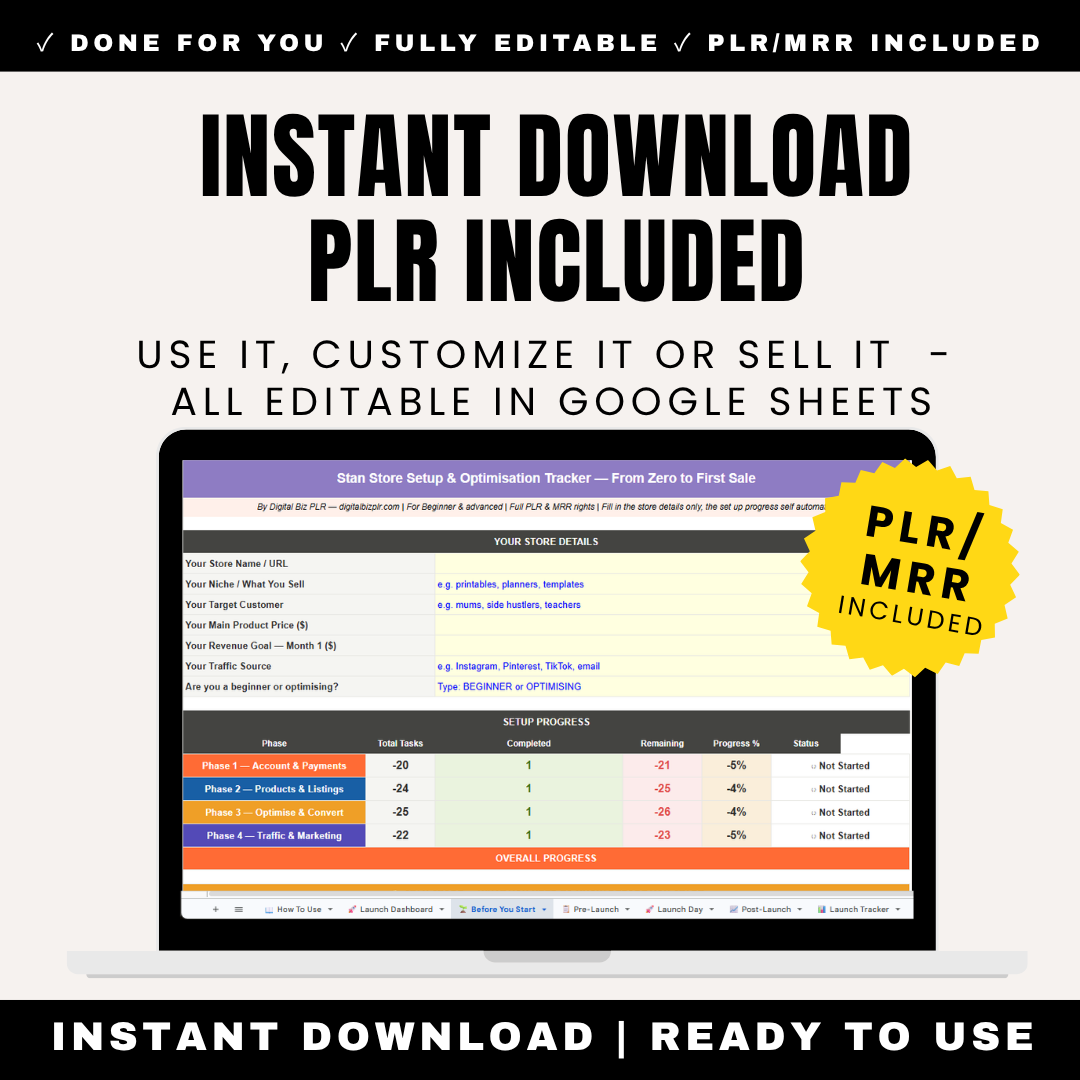
Eight-sheet Google Sheets system for Stan Store sellers. Includes: Dashboard (progress overview across all phases, store details entry, platform key facts including fees, free plan details, best use cases, limitations), Before You Start (beginner vs optimizer path selector, product type guide for 8 categories, pricing calculator based on product type and audience size), Store Setup (account creation, payment processing, identity verification, digital delivery configuration), Products & Listings (product creation, description writing, cover image specs, pricing strategy, product organization), Optimize & Convert (for existing stores: conversion rate analysis, bundle creation, upsell strategy, review collection, analytics interpretation), Traffic & Marketing (platform-specific strategies for Instagram, TikTok, Pinterest, email list building, paid ads), Problems & Solutions (8 real problems from actual Stan Store sellers with exact fixes: no sales, low conversion, abandoned carts, traffic but no buyers, refund requests, technical issues, Instagram link problems, payment failures), 30-Day Revenue Tracker (daily sales log, AOV auto-calculates, monthly totals, traffic source tracking). Automated progress bars. Checkbox system. Platform-specific guidance. Full PLR and MRR Rights. One-time fee. Instant access.
✨ What's Inside The Stan Store Setup Tracker
Sheet 1: Dashboard (Your Stan Store Command Center)
Your Store Details (Fill In Yellow Cells):
- Your Stan Store URL: yourname.stan.store
- Your Niche: e.g., digital planners, course creator, health coach, manifestation guides
- Your Primary Product Type: e.g., digital downloads, online courses, coaching packages
- Your Main Traffic Source: e.g., Instagram, TikTok, Pinterest, email list
- Current Monthly Revenue ($): Starting point or current earnings
- Revenue Goal Month 1 ($): Your target
- Your Stan Store Plan: Free, Creator ($29/mo), Creator Pro ($99/mo)
Setup Progress (Updates Automatically):
| Phase | Total Tasks | Completed | Remaining | Progress % | Status |
|---|---|---|---|---|---|
| Store Setup | 12 | 0 | 12 | 0% | Not Started |
| Products & Listings | 15 | 0 | 15 | 0% | Not Started |
| Optimize & Convert | 10 | 0 | 10 | 0% | Not Started |
| Traffic & Marketing | 12 | 0 | 12 | 0% | Not Started |
Stan Store Key Facts (Know Before You Start):
5 critical things about Stan Store that every seller needs to know:
- Stan Store is NOT a marketplace. Unlike Etsy or Amazon, there is no built-in traffic. You must drive every single visitor to your store yourself through Instagram, TikTok, Pinterest, or your email list.
- Fees: Free plan takes 10% per sale. Creator plan ($29/mo) takes 5%. Creator Pro ($99/mo) takes 3%. Calculate which plan makes sense based on your sales volume. If you're making $300+/month, Creator plan pays for itself.
- Stan Store is built for link-in-bio sales. One-click checkout optimized for mobile. Perfect for Instagram and TikTok creators who can't add links to every post. Your Stan Store link is your universal product catalog.
- Best for: Creators with existing audiences (500+ engaged followers), coaches, course creators, digital product sellers, faceless content pages. If you have an audience, Stan Store converts exceptionally well.
- Not for: Complete beginners with zero audience or traffic source. You'll struggle to make sales without followers. Build your audience first on Instagram/TikTok, then add Stan Store as your checkout page.
Why this matters: Most Stan Store sellers fail because they expect marketplace traffic like Etsy. Stan Store is a checkout page for creators, not a discovery platform. Success requires audience + traffic strategy.
Sheet 2: Before You Start (Choose Your Path & Set Your Foundation)
STEP 1 — Which Path Are You On?
Select Your Starting Point:
PATH A: BEGINNER (I'm launching a new Stan Store)
- You've never had a Stan Store before
- You need to set everything up from scratch
- You want to launch and make your first sale
- → Follow: Store Setup → Products & Listings → Traffic & Marketing
PATH B: OPTIMIZER (I have a Stan Store but it's not working)
- Your store is already live
- You're getting traffic but not enough sales
- You want to fix conversion problems and increase revenue
- → Skip to: Optimize & Convert → Problems & Solutions
The tracker adapts to both paths. Beginners work through setup linearly. Optimizers jump straight to conversion fixes.
STEP 2 — What Type of Products Will You Sell?
Select your main product category (1-8):
- Digital Downloads - PDFs, planners, templates, guides (Best platform: Stan Store, Etsy, Gumroad | Price range: $7-37)
- Online Courses - Pre-recorded video lessons (Best platform: Stan Store, Teachable, Kajabi | Price range: $47-497)
- Coaching Packages - 1:1 or group coaching sessions (Best platform: Stan Store, Calendly + Stripe | Price range: $197-2,997)
- Memberships - Monthly recurring access to content/community (Best platform: Stan Store, Patreon | Price range: $7-97/month)
- Templates & Tools - Canva templates, Notion templates, spreadsheets (Best platform: Stan Store, Etsy, Gumroad | Price range: $9-47)
- Ebooks & Guides - Written educational content (Best platform: Stan Store, Amazon KDP, Gumroad | Price range: $7-27)
- Workshops & Challenges - Time-limited group programs (Best platform: Stan Store, Zoom + Stripe | Price range: $27-197)
- Bundles & Packages - Multiple products combined (Best platform: Stan Store, Shopify | Price range: $37-197)
Personalized guidance appears automatically based on your selection with recommended pricing and best practices.
STEP 3 — Pricing Calculator
Input your details:
- Your product type (from list above)
- Your current audience size (0-500, 500-2K, 2K-10K, 10K+)
- Competitor price range you've researched
- Your experience level (beginner, intermediate, expert)
Recommended price range calculates automatically with reasoning:
Example: "Digital Download + 500-2K followers + Beginner = $12-22 price range. Start at $17 to test. Your audience is engaged but small, so price lower than established creators. After 10-20 sales and reviews, raise to $27."
Sheet 3: Store Setup (Technical Foundation - 12 Tasks)
For Beginners (Path A) - Complete all 12 tasks.
ACCOUNT CREATION (3 Tasks)
| Task | How To Do It | Why It Matters |
|---|---|---|
| Go to stan.store and create account | Click "Get Started". Use the email address you check daily. Your Stan Store URL will be yourname.stan.store — choose carefully as changing it later requires contacting support. | Your stan.store URL becomes your brand. It appears in your Instagram bio, TikTok bio, and all promotional content. Make it memorable and professional. |
| Choose your Stan Store plan | Free plan (10% transaction fee), Creator ($29/mo, 5% fee), Creator Pro ($99/mo, 3% fee). Start with Free if you haven't made sales yet. Upgrade to Creator once you're making $300+/month. | Break-even math: At $300/month revenue, Free plan costs you $30 in fees (10%). Creator plan costs $29 + $15 fees (5%) = $44. Free is cheaper until $580/month, then Creator pays for itself. |
| Complete identity verification | Stan Store requires ID verification to prevent fraud. Upload driver's license or passport. Approval takes 24-48 hours. You cannot receive payments until verified. | This protects both you and buyers. Verification confirms you're a real person. Cannot be skipped. Plan for 48-hour wait before going live. |
PAYMENT PROCESSING (3 Tasks)
STORE SETTINGS (3 Tasks)
DIGITAL DELIVERY SETUP (3 Tasks)
All 12 tasks follow same format: exact instructions, reasoning, common pitfalls to avoid.
Sheet 4: Products & Listings (Creating Your Catalog - 15 Tasks)
For Beginners (Path A) - Create your first 3-5 products.
PRODUCT CREATION (5 Tasks)
| Create or source your first product | Stan Store accepts: PDF files, video files (MP4), audio files (MP3), ZIP files for multiple downloads. Use Printable Generator for planners/templates, or upload your existing course/coaching materials. | You need at least ONE product before going live. Most successful Stan Store sellers launch with 3-5 products. Multiple products increase average order value and give buyers options. |
| Create your product cover image | Recommended size: 1200x1500px (4:5 ratio). This is the image buyers see on your store. Use Canva free templates. Show: 1) product mockup, 2) benefit-led text, 3) your branding colors. Keep it mobile-friendly — 80% of buyers shop on phones. | Your cover image is your product's first impression. Ugly cover = ignored product even if the actual product is great. Professional covers convert 3-5x better than amateur designs. |
| Write your product name | 45 characters maximum (Stan Store limit). Format: [Benefit] + [Product Type] + [Audience]. Example: "30-Day Manifestation Journal for Beginners" or "Instagram Reel Templates for Coaches". Put the benefit FIRST. | Product name appears in buyer checkout, receipts, and your store grid. Make it immediately clear what the buyer gets. Vague names ("My Course") perform terribly. |
DESCRIPTION WRITING (4 Tasks)
PRICING & VARIANTS (3 Tasks)
ORGANIZATION (3 Tasks)
Sheet 5: Optimize & Convert (For Existing Stores - 10 Tasks)
For Optimizers (Path B) - If your store is live but not converting.
CONVERSION RATE ANALYSIS (3 Tasks)
| Calculate your current conversion rate | Go to Stan Store Analytics → Overview. Formula: Orders ÷ Unique Visitors × 100 = Conversion Rate %. Track this weekly. Benchmark: 2-5% is healthy for Stan Store. Under 1% = major problem. Over 5% = you're doing great. | Conversion rate is your most important metric. 100 visitors at 1% conversion = 1 sale. Same 100 visitors at 3% conversion = 3 sales. Improving conversion is faster than getting more traffic. |
| Identify your drop-off point | Check: Store visits vs product page clicks (are people exploring?), Product page views vs "Add to Cart" clicks (is your product page compelling?), "Add to Cart" vs completed checkouts (are buyers abandoning at payment?). | Most sellers assume they need more traffic. Usually the problem is: bad product images (people don't click), weak descriptions (people don't add to cart), or pricing issues (people abandon at checkout). |
| Run the 5-second test on your store | Open your stan.store link on your phone. Look at your store for 5 seconds only. Ask yourself: Can I understand what you sell? Do the cover images look professional? Is there an obvious product to buy first? If any answer is "no", buyers are confused too. | Buyers decide in under 5 seconds whether to stay or leave. Confused buyers leave immediately. Your store must communicate WHAT you sell and WHO it's for within 5 seconds of landing. |
CONVERSION BOOSTERS (4 Tasks)
- Create a bundle of your 3 best products (higher AOV)
- Add upsells to your checkout flow (increase revenue per buyer)
- Collect and display social proof (reviews, testimonials, screenshots)
- Create a "Start Here" product under $20 (lower barrier to first purchase)
ANALYTICS MASTERY (3 Tasks)
- Set up weekly analytics review ritual
- Track traffic sources (which platform drives best buyers?)
- Compare product performance (which sells best? double down on it)
Sheet 6: Traffic & Marketing (Platform-Specific Strategies - 12 Tasks)
For Both Paths - Stan Store requires YOU to drive traffic.
INSTAGRAM TRAFFIC (4 Tasks)
| Optimize your Instagram bio for Stan Store | Format: Line 1: Who you help + transformation. Line 2: Your main offer. Line 3: "Shop all products below 👇" or "Start here 👇". Your Stan Store link goes in the link field. Use a call-to-action that creates urgency. | Your Instagram bio is your storefront. Most followers never scroll your posts — they read your bio and click your link. If your bio is unclear or your CTA is weak, they won't click through to your Stan Store. |
| Create a "link in bio" posting strategy | Every 3-5 posts, create content that leads to a product. Format: Value post teaching something → CTA to "get the full guide in my bio". Screenshot your Stan Store product on mobile and circle the product. Post as carousel last slide with "Link in bio to grab this". | The goal is not to spam "buy my stuff" — it's to provide value, then offer a deeper solution available in your store. The more value you give free, the more trust you build, the more sales you make. |
| Use Instagram Stories for daily promotion | Post 3-5 Stories daily. Mix: 1) Behind-the-scenes, 2) Value/tips related to your products, 3) Product showcase with link sticker, 4) Testimonials/reviews, 5) "Shop my store" CTA. Link stickers make it one tap to your Stan Store. | Stories are seen by your most engaged followers. They expire in 24 hours, so there's no fear of being "too salesy". Story link stickers have higher click-through rates than bio links. |
| Run Instagram Reels driving to your store | Post 3-5 Reels/week. Formula: Hook in first 3 seconds → Value/entertainment for 10-20 seconds → CTA to "Link in bio for [specific benefit]". Use trending audio. Add captions. End screen text: "Shop in bio 👆". | Reels are Instagram's highest-reach format. One viral Reel can drive hundreds of visitors to your Stan Store. But only if you have a clear CTA and your Stan Store link is obvious in your bio. |
TIKTOK TRAFFIC (3 Tasks)
PINTEREST TRAFFIC (2 Tasks)
EMAIL LIST BUILDING (3 Tasks)
Sheet 7: Problems & Solutions (Real Issues, Real Fixes)
8 problems actual Stan Store sellers face with exact solutions.
PROBLEM 1: My store is live but I have zero sales
Diagnosis Questions:
- How many unique visitors have you had in the last 7 days? (Check Analytics)
- If under 50: You have a TRAFFIC problem, not a store problem
- If 50-200: You have a CONVERSION problem — store not compelling
- If 200+: You have a POSITIONING problem — wrong audience or wrong product
Exact Fixes:
If TRAFFIC problem (under 50 visitors):
- Post your Stan Store link daily in Instagram Stories for 7 days straight
- Create 3 Instagram Reels this week with "Link in bio" CTAs
- DM 10 engaged followers: "Hey! I just launched [product] — would love your feedback" (include link)
- Share in 3 relevant Facebook groups (if allowed)
- Send email to your list (if you have one)
- Goal: Get to 100+ visitors. THEN evaluate if store converts.
If CONVERSION problem (50-200 visitors, no sales):
- Your product cover images are probably weak. Remake them in Canva using professional templates.
- Your product name is probably vague. Change to benefit-led format: "[Transformation] for [Audience]"
- Your price might be too high for your audience size. If you have under 1K followers, drop price by 30% to test.
- Run the 5-second test (Sheet 5). If you're confused looking at your own store, buyers are too.
- Goal: Test these changes, get to 200 visitors, see if conversion improves.
If POSITIONING problem (200+ visitors, no sales):
- Wrong audience: Your followers don't want what you're selling. Survey them: "What's your biggest struggle with [topic]?"
- Wrong product: You're selling what YOU want to make, not what THEY want to buy. Create what they're asking for.
- No trust: New store, no reviews, no social proof. Offer first 10 buyers a discount in exchange for honest reviews.
- Goal: Realign product with audience needs. May require pivoting your offer.
PROBLEM 2: People are adding to cart but not buying
This is called "cart abandonment." Very common. Here's why it happens:
Reason 1: Price shock at checkout
- Fix: Show full price clearly on product page BEFORE "Add to Cart" button. No surprises at checkout.
Reason 2: Unexpected fees or taxes
- Fix: If you're charging shipping (shouldn't be for digital products), remove it. Make sure tax settings are correct in Stan Store settings.
Reason 3: Buyer needs time to think
- Fix: Set up abandoned cart email sequence in Stan Store settings. Email them 1 hour later: "Still thinking about [product]? Here's what's inside..."
Reason 4: Payment method issue
- Fix: Make sure you have multiple payment options enabled: Credit card, PayPal, Apple Pay, Google Pay. Some buyers only use specific methods.
PROBLEM 3: My Instagram link isn't working
PROBLEM 4: I'm getting refund requests
PROBLEM 5: Traffic from TikTok but no sales
PROBLEM 6: Payment failures at checkout
PROBLEM 7: Products not delivering automatically
PROBLEM 8: Store looks unprofessional compared to competitors
All 8 problems follow same format: Diagnosis questions, exact fixes, goal/outcome.
Sheet 8: 30-Day Revenue Tracker
Track your Stan Store performance daily for 30 days.
Columns:
- Day (1-30)
- Date
- Revenue ($): Total sales that day
- Orders: Number of orders
- AOV ($): Calculates automatically (Revenue ÷ Orders)
- Unique Visitors: From Stan Store Analytics
- Conversion Rate %: Calculates automatically (Orders ÷ Visitors × 100)
- Top Traffic Source: Instagram, TikTok, Pinterest, Email, Other
- Notes: What worked today? What didn't?
30-Day Totals (Auto-Calculate):
- Total Revenue
- Total Orders
- Average AOV
- Average Daily Revenue
- Overall Conversion Rate
- Most Effective Traffic Source
Why daily tracking matters:
- See which days perform best (weekends? weekdays?)
- Identify which traffic source drives best buyers
- Track if conversion rate improves as you optimize
- Use data to double down on what works
🎯 Who This Tracker Is For
Perfect For:
- ✓ Instagram Creators - 500+ followers, want to monetize audience
- ✓ TikTok Creators - Building audience, need simple storefront
- ✓ Digital Product Sellers - Selling courses, templates, planners, guides
- ✓ Coaches & Consultants - Offering coaching packages or memberships
- ✓ Course Creators - Pre-recorded video courses for sale
- ✓ Faceless Content Pages - Monetizing aesthetic or motivational content
- ✓ Failed Shopify Users - Found Shopify too complex, want simpler option
- ✓ Existing Stan Store Owners - Store is live but not converting, need optimization
- ✓ Multi-Product Sellers - Selling 3+ digital products, need organization
- ✓ Link-in-Bio Optimizers - Want one link for entire product catalog
🔥 Why This Tracker vs. Figuring It Out Yourself
Figuring Out Stan Store Yourself:
- ❌ Watch scattered YouTube tutorials with conflicting advice
- ❌ No idea which tasks to do first vs later
- ❌ Set up store but get zero sales (no traffic strategy)
- ❌ Traffic but no conversions (no optimization guidance)
- ❌ Don't know if problem is product, pricing, or positioning
- ❌ Waste weeks troubleshooting common issues
- ❌ No tracking system to know what's working
- ❌ Give up after 30 days of random effort
With This Stan Store Setup Tracker:
- ✅ Two paths built in - Beginners AND optimizers both covered
- ✅ Platform-specific traffic strategies - Instagram, TikTok, Pinterest, email
- ✅ 8 real problems with exact fixes - Solve issues in hours, not weeks
- ✅ Conversion optimization included - Not just setup, actual revenue growth
- ✅ 30-day revenue tracker - Data-driven decisions
- ✅ Automated calculations - AOV, conversion rate, progress all auto-update
- ✅ Pricing calculator - Know what to charge before launching
- ✅ Product type guidance - 8 categories with best practices for each
- ✅ Task-by-task instructions - No guessing, just follow steps
- ✅ Works on any device - Google Sheets accessible anywhere
📊 Stan Store vs Other Platforms
When to Choose Stan Store:
- ✅ You have Instagram or TikTok followers (500+)
- ✅ You want simple setup (not Shopify's complexity)
- ✅ You need mobile-optimized checkout (most buyers shop on phones)
- ✅ You sell digital products only (courses, templates, memberships)
- ✅ You want one link for multiple products (link-in-bio strategy)
- ✅ You're okay driving your own traffic (no marketplace dependency)
When NOT to Choose Stan Store:
- ❌ You have zero audience or traffic source
- ❌ You want marketplace traffic (use Etsy instead)
- ✅ You sell physical products (Stan Store is digital-only)
- ❌ You need complex customization (Shopify has more features)
- ❌ You want extensive SEO control (no built-in SEO since no marketplace)
This tracker helps you maximize Stan Store's strengths while working around its limitations.
💰 Includes Full PLR and MRR Rights
What You Can Do:
- ✅ Use for your own Stan Store setup and optimization
- ✅ Rebrand with your name and logo
- ✅ Sell as your own product (keep 100% profit)
- ✅ Include in coaching programs for creators
- ✅ Give to clients as implementation tool
- ✅ Bundle with other Stan Store products
- ✅ Offer MRR rights to your buyers
📦 What You Get Immediately
- ✅ 8-Sheet Google Sheets System
- ✅ Dashboard with Progress Tracking
- ✅ Beginner vs Optimizer Path Selector
- ✅ Store Setup (12 Tasks)
- ✅ Products & Listings (15 Tasks)
- ✅ Optimize & Convert (10 Tasks)
- ✅ Traffic & Marketing (12 Tasks)
- ✅ Problems & Solutions (8 Real Issues with Fixes)
- ✅ 30-Day Revenue Tracker
- ✅ Pricing Calculator
- ✅ Product Type Guide (8 Categories)
- ✅ Full PLR and MRR Rights
❓ Frequently Asked Questions
Is this for complete beginners?
Yes! Path A (Beginner) walks through every step assuming zero Stan Store experience.
What if my Stan Store is already set up?
Perfect! Use Path B (Optimizer) which focuses on conversion rate improvement, traffic strategies, and solving common problems.
Do I need an audience before starting?
Highly recommended. Stan Store works best with 500+ engaged followers on Instagram or TikTok. If you have zero audience, build that first, then add Stan Store as your checkout page.
Which Stan Store plan should I choose?
The tracker includes break-even analysis. Generally: Start Free if under $300/month revenue. Upgrade to Creator ($29/mo) once you hit $300-500/month. Creator Pro ($99/mo) makes sense at $3K+/month.
How is this different from the Etsy tracker?
Etsy has built-in marketplace traffic. Stan Store requires YOU to drive all traffic. This tracker focuses heavily on Instagram/TikTok/Pinterest traffic strategies, conversion optimization, and includes troubleshooting for common Stan Store-specific issues.
Can I use this with Shopify instead?
This is Stan Store-specific. Tasks, features, and strategies are tailored to Stan Store's platform. We have separate products for Shopify and Etsy.
What are the 8 problems in the Problems & Solutions sheet?
- Zero sales despite store being live
- Cart abandonment (people add but don't buy)
- Instagram link not working
- Refund requests
- TikTok traffic but no sales
- Payment failures at checkout
- Products not delivering automatically
- Store looks unprofessional
Each has diagnosis questions and exact fixes.
Does this include traffic generation strategies?
Yes! Sheet 6 (Traffic & Marketing) has 12 tasks covering Instagram (4 tasks), TikTok (3 tasks), Pinterest (2 tasks), and email list building (3 tasks) — all platform-specific.
Can I sell this tracker to my clients?
Yes! Full PLR and MRR rights. Perfect for coaches teaching creators how to monetize with Stan Store.
Is this a one-time fee?
Yes. Pay once, use forever. Track unlimited Stan Stores.
🏪 Stop Guessing - Follow a System Built for Stan Store Success
Stan Store Setup Tracker. Eight Google Sheets. Two paths built in. Includes: Dashboard (progress overview across 4 phases, store details entry fields, Stan Store key facts about fees/plans/best use cases/limitations), Before You Start (beginner vs optimizer path selector, product type guide for 8 categories with pricing/platforms, automated pricing calculator based on product type and audience size), Store Setup (12 tasks covering account creation at stan.store, choosing Free/Creator/Creator Pro plan with break-even analysis, identity verification requirements, payment processing setup, store settings configuration, custom domain connection, digital delivery automation, file upload specifications, checkout settings, email notifications, tax settings, backup system), Products & Listings (15 tasks covering product creation, cover image specs 1200x1500px, product naming format with 45-character limit, description writing with benefit-led structure, pricing strategy by audience size, product variants setup, bundling options, product organization/collections, featured products, "Start Here" product strategy, upsell configuration, mobile preview testing, launch checklist), Optimize & Convert for existing stores (10 tasks on conversion rate calculation with benchmarks 2-5%, drop-off point identification, 5-second store test, bundle creation for higher AOV, upsell addition to checkout, social proof collection/display, "Start Here" low-barrier product, weekly analytics review ritual, traffic source comparison, product performance analysis), Traffic & Marketing (12 tasks platform-specific: Instagram bio optimization format, link-in-bio posting strategy, Stories daily promotion 3-5 per day, Reels driving to store 3-5 per week, TikTok bio setup, TikTok traffic strategy, viral content formula, Pinterest profile optimization, Pinterest pins for Stan Store, email list building with lead magnets, email sequence for store promotion, paid ads budget recommendations), Problems & Solutions (8 real problems with diagnosis questions and exact fixes: zero sales with traffic/conversion/positioning diagnosis trees, cart abandonment with 4 reasons and fixes, Instagram link issues, refund request handling, TikTok traffic not converting, payment failures troubleshooting, automatic delivery problems, unprofessional store appearance), 30-Day Revenue Tracker (daily log with columns for date, revenue, orders, AOV auto-calculating, unique visitors, conversion rate auto-calculating as orders divided by visitors times 100, top traffic source dropdown, notes field, monthly totals auto-summing). Automated progress bars. Checkbox status system. Platform-specific guidance. Full PLR and MRR Rights. One-time fee. Instant access.
Perfect for: Instagram creators 500+ followers, TikTok creators, digital product sellers, coaches/consultants, course creators, faceless content pages, failed Shopify users wanting simpler option, existing Stan Store owners needing optimization, multi-product sellers, link-in-bio optimizers
Launch or optimize your Stan Store with a proven system. Get started now.
Questions? Contact us here
What You Will Receive
What You Will Receive
1 x PDF with instructions - Includes a link to your digital download.
You will receive it straight away! This is a DIGITAL PRODUCT which means no physical item will be shipped to you.
What does PLR, MRR, Commercial Output mean?
What does PLR, MRR, Commercial Output mean?
PLR (Private Label Rights) means you can edit, rebrand and resell this product as your own.
MRR (Master Resell Rights) means you can sell the product and also pass resell rights to your buyers.
Personal Use means you can use it for yourself but not resell it.
Commercial Output Rights means you can sell anything you create using this product.
Every product listing states which rights are included.
Resell Licence
Resell Licence
Each product has a resell licence attached to it. Please check the individual listing to see if they come with a Personal Use or an MRR & PLR licence. If they come with a MRR & PLR licence then you can rebrand and resell the content. If not, you cannot.
Returns Policy
Returns Policy
Due to the nature of this product being an instant download and the digital nature of this product, returns, refunds and exchanges cannot be accepted.
Make sure to read all the information and ask all of your questions before purchasing.


Did You Know Entrepreneurs Using PLR Products See 40% Higher Profit Margins
-
1. Work Smart, NOT HARD!
Our PLR products come pre-made and ready to customize, allowing you to skip the content creation process. Simply rebrand them with your colors, images etc, tweak as needed, and put them to work for your business.
-
2. If Your Marketing Costs Are High!
Our PLR products include MRR, you can resell these assets to generate additional income, covering your marketing costs and boosting profits.
-
3. Struggling to Stay Consistent?
Our PLR products are easy to use, providing you with a consistent stream of content for marketing, customer engagement, and lead nurturing, so you never run out of ideas.
Save Over 500 Hours Per Year Using Our PLR Products
Frequently Asked Questions
What is the difference between PLR & MRR products?
- Private Label Rights Products: Refers to the digital products that you can customize and sell as your own - WITHOUT the ability to pass on resell rights to your customers.
- Master Resell Rights Products: Refers to the digital products that you can customize and sell as your own - WITH the ability to pass on resell rights to your customers.
What can you do with Digital Biz PLR products?
Here are some ways you can use our digital products:
- Edit, tweak and customise in Canva, export as PDF and start selling as your own with no attribution required
- Use the product to create a new digital product, lead magnet or add to your course or membership
- Sell to your clients as a final product without having to create it from scratch
- Use for Print on Demand products such as journals, planners and ebooks
Are there any hidden or on-going fees?
No, it is just a one-time investment and you can get started!
What do PLR, MRR and Commercial Output mean?
PLR (Private Label Rights) means you can edit, rebrand and resell this product as your own.
MRR (Master Resell Rights) means you can sell the product and also pass resell rights to your buyers.
Personal Use means you can use it for yourself but not resell it.
Commercial Output Rights means you can sell anything you create using this product. Every product listing states which rights are included.
I'm ready to make money now. How do I start?
Simply Click the "Add To Cart" button on top and make your one-time purchase to get instant access to the product.